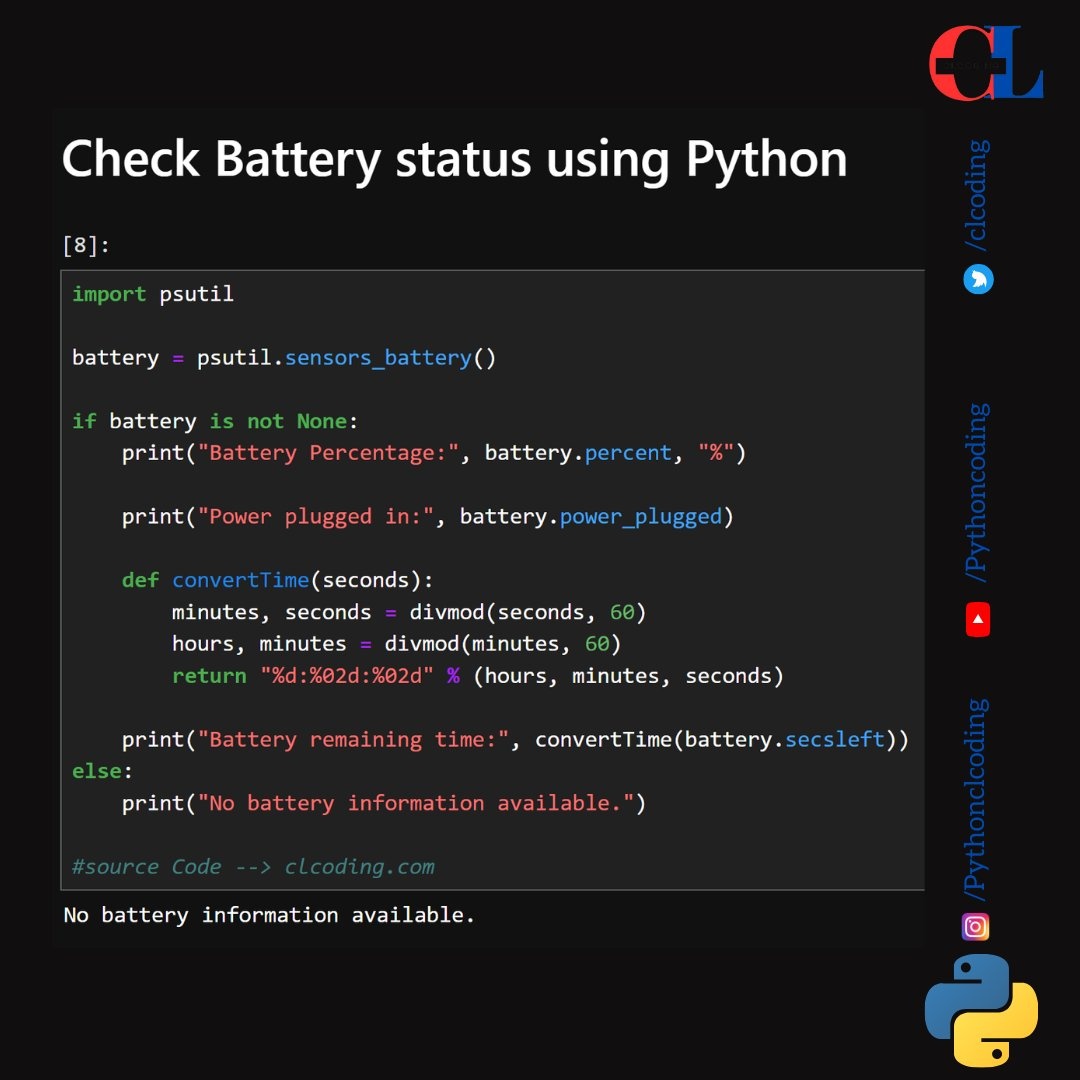
Explanation of the Code:
- Import psutil: This library provides an interface for retrieving information on system utilization, including battery status.
- Retrieve Battery Information:
- psutil.sensors_battery() fetches the battery information.
- Battery Percentage and Power Status:
- If battery information is available, the code prints the battery percentage and whether the laptop is plugged in.
- Convert Time Function:
- The convertTime function takes seconds and converts it into hours, minutes, and seconds format for better readability of the battery's remaining time.
- Display Battery Remaining Time:
- Prints the remaining battery time if available.
- No Battery Information:
- If no battery is detected, it outputs a message saying no battery information is available.
This code will print battery details if running on a device that has a battery and supports battery status monitoring.
코드에 대한 설명입니다:
psutil을 가져옵니다: 이 라이브러리는 배터리 상태를 포함한 시스템 사용률에 대한 정보를 검색하기 위한 인터페이스를 제공합니다.
배터리 정보를 검색합니다:
psutil.sensors_battery()는 배터리 정보를 가져옵니다.
배터리 백분율 및 전원 상태:
배터리 정보를 사용할 수 있는 경우 이 코드는 배터리 비율과 노트북이 연결되어 있는지 여부를 인쇄합니다.
시간 변환 함수:
convertTime 함수는 초 단위로 배터리 잔량을 시, 분, 초 형식으로 변환하여 배터리 잔량을 더 읽기 쉽게 표시합니다.
배터리 남은 시간 표시:
사용 가능한 경우 남은 배터리 시간을 인쇄합니다.
배터리 정보 없음:
배터리가 감지되지 않으면 배터리 정보를 사용할 수 없다는 메시지를 출력합니다.
이 코드는 배터리가 있고 배터리 상태 모니터링을 지원하는 장치에서 실행 중인 경우 배터리 세부 정보를 인쇄합니다.
import psutil

battery = psutil.sensors_battery()

if battery is not None:
    print("Battery Percentage:", battery.percent, "%")
    print("Power plugged in:", battery.power_plugged)

    def convertTime(seconds):
        minutes, seconds = divmod(seconds, 60)
        hours, minutes = divmod(minutes, 60)
        return "%d:%02d:%02d" % (hours, minutes, seconds)

    print("Battery remaining time:", convertTime(battery.secsleft))
else:
    print("No battery information available.")